
Download Muse Mobile Entreprise PWA – Field Operations, Maintenance Management, Asset Tracking, Real-Time Task Updates, Mobile Reporting, Vehicle Stock Management, Enterprise PWA
Overview
The Muse Mobile Entreprise PWA is a specialized mobile application developed by Citégestion for professionals engaged in field-based operations and maintenance management. Designed specifically for enterprise environments, the app enables users to oversee daily operational tasks, manage maintenance orders, and monitor assets directly from mobile devices in real time. Its primary purpose is to bridge the gap between office-based planning and on-site execution, ensuring that field teams have immediate access to critical information and tools.
By providing real-time access to work orders and maintenance schedules, the application helps organizations maintain operational continuity and improve response times. It is particularly suited for teams in industries such as facility management, transportation, utilities, and industrial maintenance, where timely task execution and accurate documentation are essential. The app supports efficient workflows by allowing users to consult asset data, generate reports, and communicate with colleagues while on-site, reducing delays and minimizing errors.
As a Progressive Web App (PWA), Muse Mobile Entreprise PWA offers the convenience of a native app without requiring installation from a traditional app store. This approach enhances accessibility and simplifies deployment across enterprise fleets. The developer, Citégestion, has positioned the app as a key tool for operational efficiency, aligning with modern digital transformation goals in enterprise environments. The release date of October 7, 2024, marks its entry into a growing market of field service solutions.
Key Features & Functionality
- Real-Time Task Management: Users can access and update work and maintenance orders instantly from the field. This enables immediate acknowledgment, status updates, and task completion tracking, ensuring that supervisors and team leads have up-to-date visibility into operational progress.
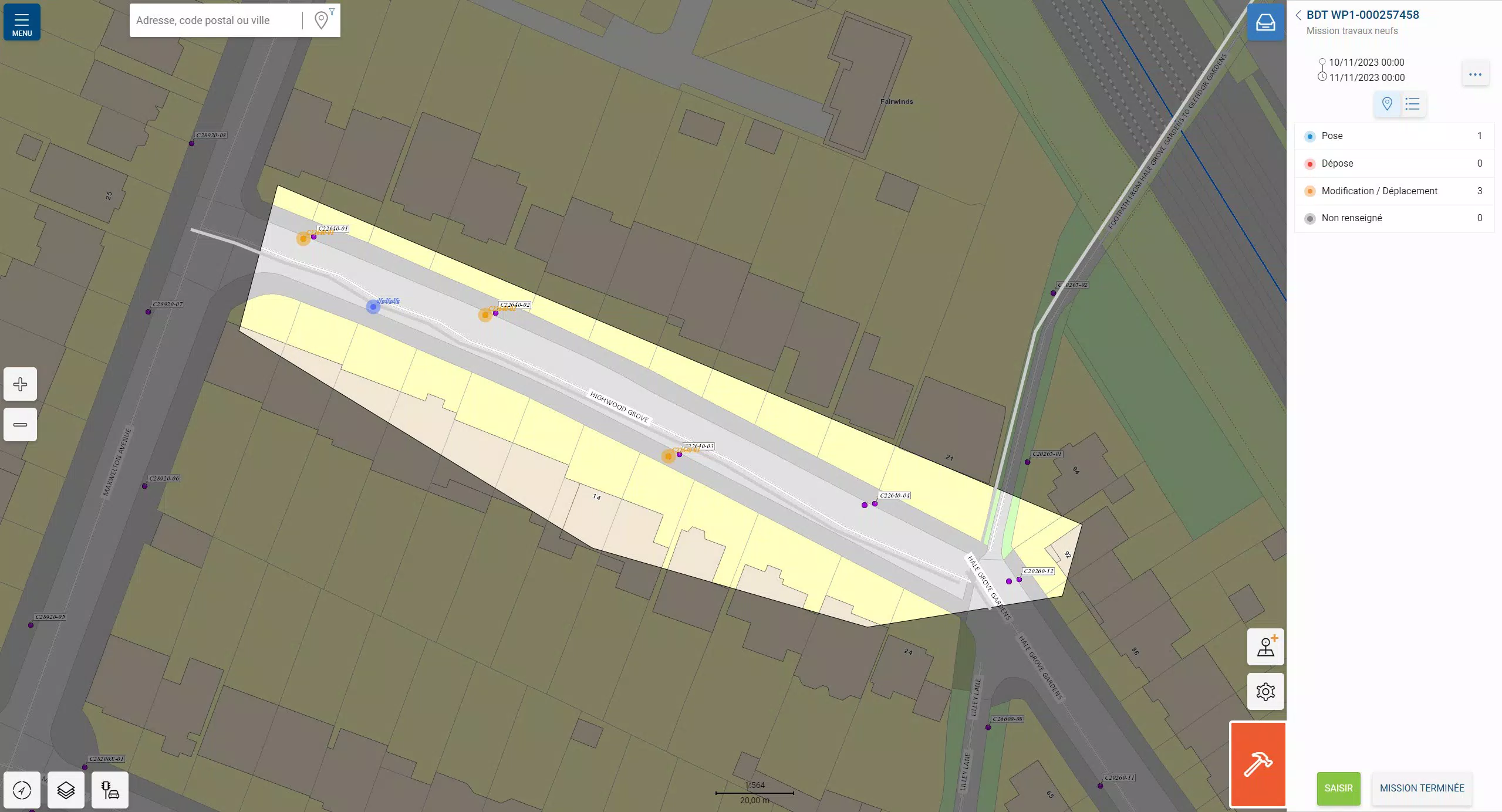
- Comprehensive Asset Consultation: The app allows field personnel to view detailed information about assets such as equipment, vehicles, or infrastructure components. This includes maintenance history, location, condition, and assigned personnel, supporting data-driven decision-making during on-site inspections.
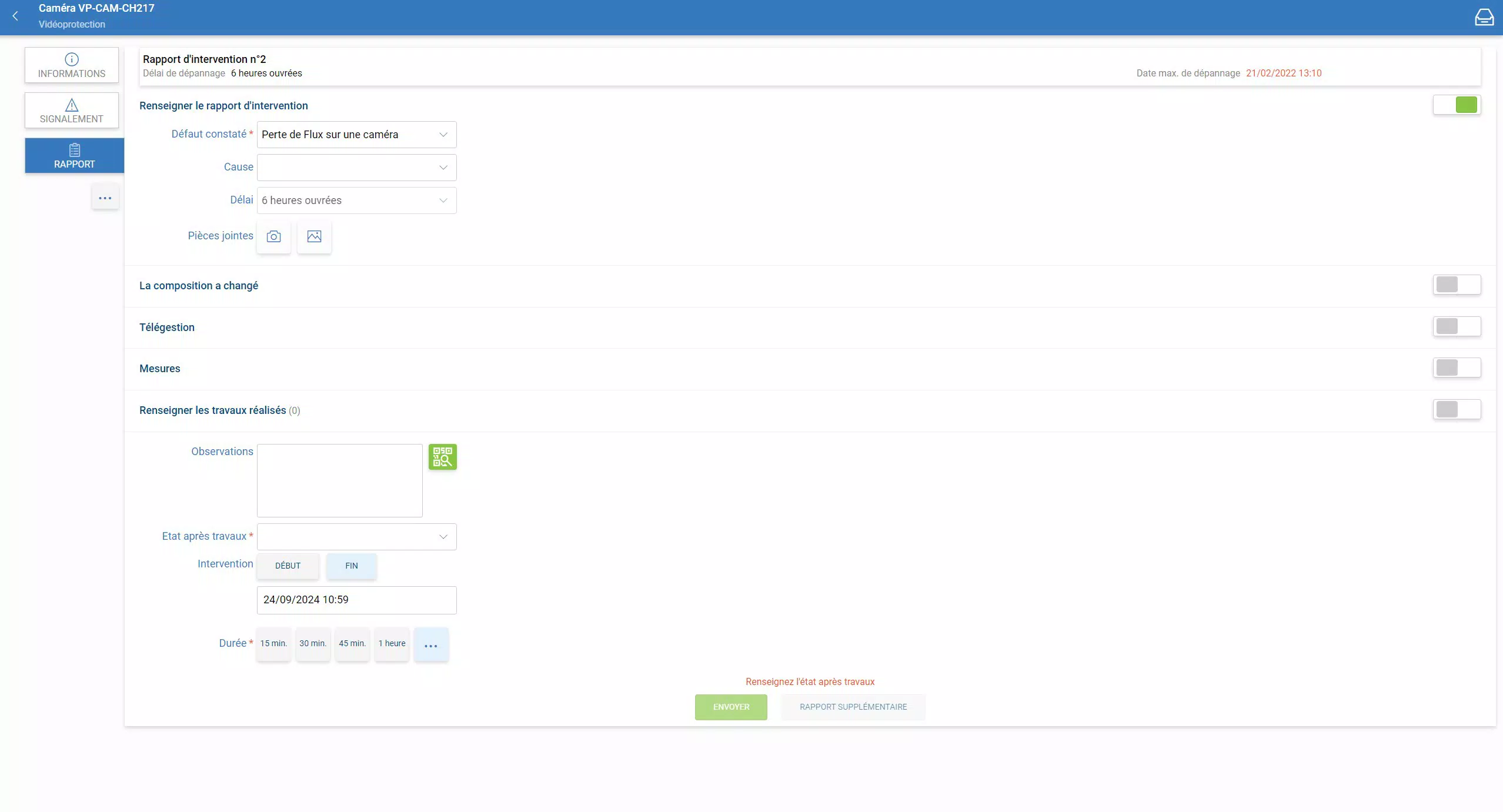
- Dynamic Reporting: Users can create, edit, and submit reports directly from their mobile devices. This feature integrates reporting into daily workflows, reducing the need for manual data entry and minimizing delays in documentation and analysis.
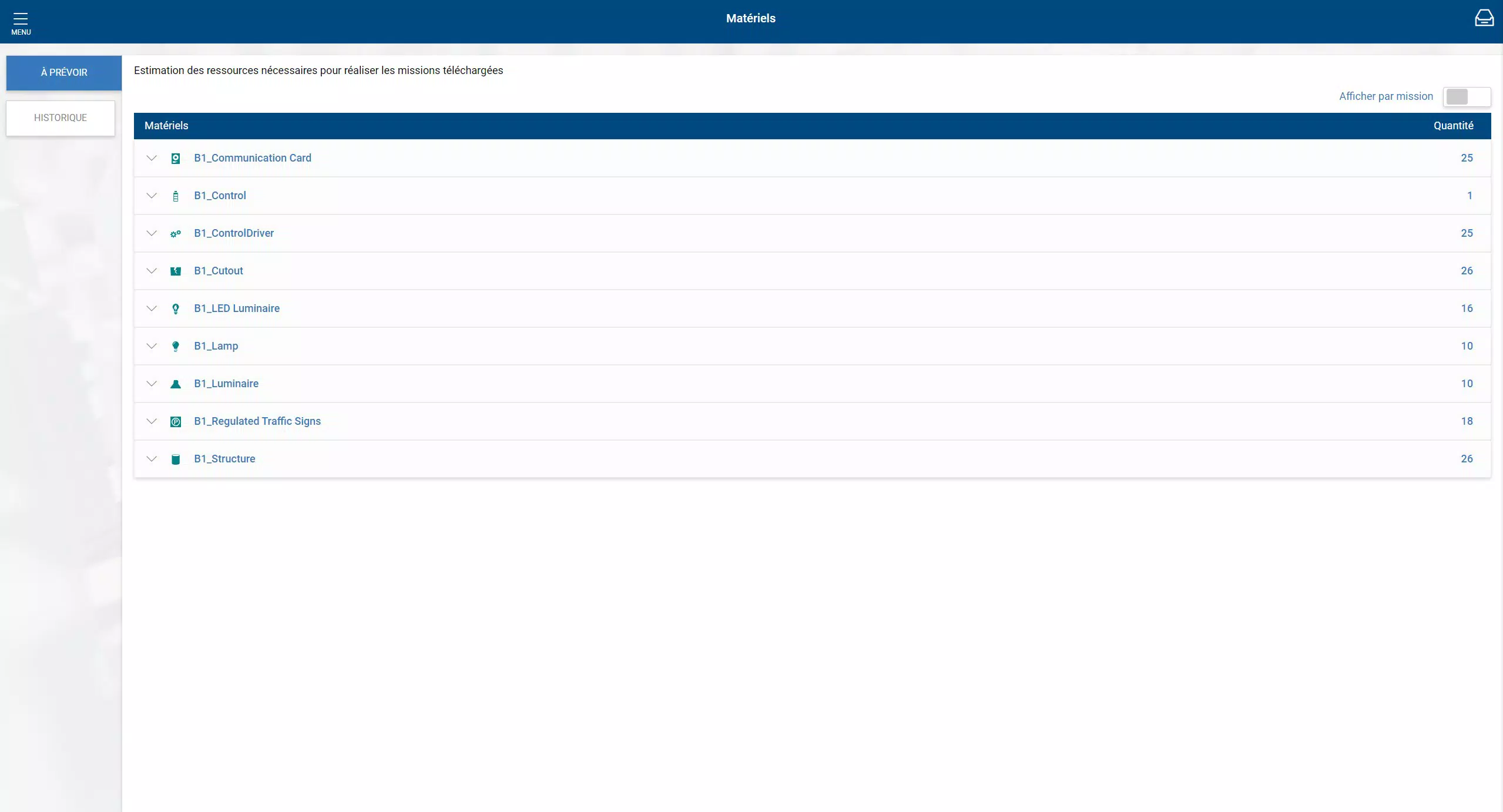
- Stock Management Capability: The app supports the monitoring and management of vehicle stock, including spare parts, tools, and consumables. This helps ensure that teams are adequately supplied before heading to a job site, improving readiness and reducing downtime.
- Enhanced Communication Tools: Integrated tools allow for real-time messaging or status updates between field workers and office staff. This fosters seamless collaboration, reduces miscommunication, and supports coordinated responses to urgent maintenance needs.
For example, a maintenance technician visiting a remote site can use the app to check an asset’s history, update the work order with photos and notes, generate a report, and notify the central team—all without returning to the office. This streamlined process enhances accountability, reduces administrative overhead, and supports faster resolution of operational issues.
Interface, UX & Performance
The interface of Muse Mobile Entreprise PWA is designed with functionality and clarity in mind, prioritizing ease of navigation for field professionals who may operate under time constraints. The layout emphasizes key actions such as accessing tasks, viewing assets, and submitting reports, with intuitive icons and organized menus that reduce cognitive load.
Visual style leans toward a clean, professional aesthetic with minimal distractions, using consistent color coding and structured data presentation to support quick comprehension. Navigation is linear and predictable, allowing users to move between core functions—task management, asset lookup, reporting, and communication—with few taps. This design supports efficient use in high-pressure or mobile environments.
Although the developer did not list formal performance metrics, the app’s PWA nature suggests optimized loading times and responsiveness across a range of Android devices. It is expected to function smoothly on both entry-level and mid-range smartphones, maintaining stability during extended use. The app’s lightweight size of 24.3 MB indicates efficient resource usage, which contributes to reliable performance even in low-bandwidth scenarios. The developer did not provide additional technical details regarding battery consumption or background processing.
Platform Compatibility & Technical Requirements
Muse Mobile Entreprise PWA is available exclusively on the Android platform. The current version is 1.0.0, released on October 7, 2024. The app has a file size of 24.3 MB, which is relatively compact for a feature-rich enterprise application. This size suggests a lean codebase focused on core functionality without excessive bloat.
As a Progressive Web App, the application does not require installation through the Google Play Store. Instead, it can be accessed via a web browser and added to the home screen for app-like access. This approach increases deployment flexibility and reduces friction for enterprise users. However, the developer did not specify minimum OS requirements, compatibility with older Android versions, or specific hardware needs. Similarly, no information was provided about required permissions, background sync behavior, or data usage patterns.
Pros and Cons
Pros
- Real-time access to work and maintenance orders enhances task responsiveness.
- Comprehensive asset consultation supports informed on-site decision-making.
- Dynamic reporting simplifies documentation and reduces administrative delays.
- Vehicle stock management improves operational readiness and supply chain efficiency.
- Integrated communication tools foster team collaboration in field operations.
- Lightweight size and PWA format ensure fast loading and easy deployment.
Cons
- Specific technical requirements were not listed by the developer.
- Compatibility with older Android versions was not disclosed.
- Performance under low connectivity or high load conditions remains unverified.
- No information provided on battery impact or background functionality.
- Platform availability is limited to Android at this time.
FAQ
Is Muse Mobile Entreprise PWA available for iOS devices?
As of now, the application is only available on the Android platform. There is no official information about future iOS support.
Can I use Muse Mobile Entreprise PWA without an internet connection?
The app requires an active internet connection for real-time updates and synchronization. However, some features may support limited offline functionality, though this was not specified by the developer.
Is the app free to download and use?
Yes, Muse Mobile Entreprise PWA is available at no cost. There are no in-app purchases or subscription fees currently reported.
How do I install Muse Mobile Entreprise PWA?
Since it is a Progressive Web App, you can access it via a web browser. To use it like a native app, add it to your home screen by selecting the "Add to Home Screen" option in your browser’s menu.
What kind of data does the app collect?
The app likely collects operational data such as task status, asset information, and user reports. However, the developer did not disclose specific data collection practices or privacy policies.
Final Thoughts
Muse Mobile Entreprise PWA presents a practical and efficient solution for organizations managing field operations, maintenance, and asset tracking. Its real-time capabilities, combined with a streamlined interface and PWA delivery model, make it a compelling tool for teams that rely on timely, accurate information in dynamic environments. The integration of reporting, stock management, and team communication into a single mobile experience enhances workflow efficiency and reduces administrative overhead.
While the lack of detailed technical specifications and platform limitations restrict its reach, the app’s focus on core enterprise needs is evident. For field technicians, maintenance supervisors, and operations managers in industries requiring on-site accountability, Muse Mobile Entreprise PWA offers tangible value. Its free access and lightweight design further increase its appeal for enterprise adoption.
Download Muse Mobile Entreprise PWA now


